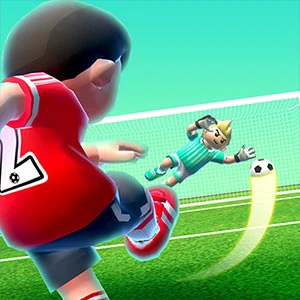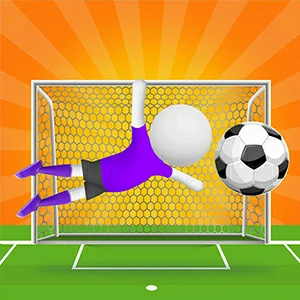
Shoot into the open corner
A keeper duel with a quiet rule: every round asks for a set number of goals before the attempt limit runs out. The swipe sets the aim and the power, so each attempt is a placed shot into the side the keeper is not covering.
Placing a set number of goals before attempts run out
Score the goals the current round requires before the attempt limit runs out. Every shot needs an open part of the goal, so the round is won by placing the ball in the side the keeper is not covering.
Drag or swipe through the ball on desktop, or swipe across it on a touch screen. The direction of the gesture sets the aim and its length feeds into the power, exactly as the in-game prompt shows.
Before the first shot, let the keeper finish one movement and note which side of the goal they leave open. Aim the swipe toward that corner and keep the gesture steady rather than fast.
Aim for the corner the keeper just left
Keepers settle toward the middle and commit to one side early, so the open space is usually the far corner they have just moved away from. Place the shot there with a deliberate swipe and the ball travels into an area they are no longer covering.
Let the swipe length carry the power
Shot direction follows the gesture, so a quick flick sends the ball along an angle you did not intend. Move the swipe at a steady speed, hold the line toward the target, and let the length of the drag set the power the round expects.
After a save, move only the aim
If the keeper stops the ball, do not change everything at once. Watch where the save came from, then shift the aim a little further toward the opposite corner — one small adjustment keeps the next result readable while the rest stays the same.
Give the keeper a beat to commit
Shooting in the first beat of the round often sends the ball straight at a keeper who has not moved. Wait a moment, let them shift toward one side, and place the shot into the space they just left.
Count every swipe against the round
Each attempt draws from the same limit, so a rushed swipe that misses is a real cost to the round, not just to the moment. A steady, placed attempt that finds the open corner keeps the limit budget intact for the goals still needed.
Start the first swipe once the pitch settles
The boot screen spends its time on loading steps before the game hands you control — the readings climb in stages rather than appearing at once. Let the pitch settle and the prompt appear before the first attempt, so nothing eats a swipe early.
Aiming where the keeper is not
Where should I aim to beat the goalkeeper?
Aim for the open corner — the side the keeper has just moved away from. They commit early and settle toward the middle, so the far corner they leave stays open the longest.
Why do my shots miss even with good aim?
The aim follows the gesture, so a hurried swipe sends the ball along an angle you did not intend. Slow the swipe, keep the line toward the corner, and let the drag length set the power instead of rushing the release.
Does a longer swipe make the shot better?
Longer swipes add power, but corners want a shorter, compact gesture — extra length pushes the ball past the corner or into the keeper's reach. Keep the drag short for placement and stretch it only when the target wants distance.
What happens when the attempts run out?
The round closes once the limit is used up without the required goals, so a miss costs more than the instant. Placing each shot into the open corner keeps the budget intact for every goal the round still needs.