The clearest fragment folds first
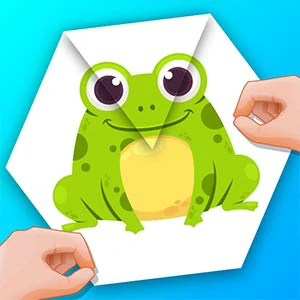
Paper Fold is a folding puzzle where you reveal a hidden picture by creasing one edge at a time in the right order. Each tap folds an exposed edge inward, and the level clears when the whole image lines up with nothing buried. It is a sequencing game more than a speed game.
Revealing a picture one crease at a time
Reveal the complete picture by folding each edge in an order that never buries a section it still needs. The level finishes as soon as the entire image lines up and no part of the sheet is left covering the finished scene.
Choose a foldable edge with a mouse click or a single tap, and the sheet folds it inward. Each level is driven by one-step inputs, with no timer and no rush to commit before you have read the picture.
Look for the fragment whose shape or colour matches the final picture most clearly, and fold the edge that carries it first. A confident opening fold gives the rest of the sheet a reference to follow.
Fold the edge with the clearest fragment first
The sheet already hints at the finished image, so spend a few seconds connecting each visible fragment to the picture you expect. The edge whose section is easiest to identify is usually the safest opening, because a clear first fold makes every later choice read more easily.
Keep working toward the section still in view
After each fold, one part of the picture stays visible while another disappears. Keep working toward the section you can still see, and only fold an edge when you understand what it will cover. The visible anchor keeps the final shape predictable and turns blind guesses into confident choices.
Step back one fold to test a different order
When a fold covers the wrong area, undo that single move rather than abandoning the level. The sheet returns to the state before your last choice, so one correction is enough to test a different sequence without losing the progress you already made.
Save the faintest corner for the final creases
The section you could barely see at the start is usually the one that completes the picture, and it is hardest to place while most of the sheet is still open. Leave it for the final folds, when the surrounding picture has already locked in where it belongs.
Start on LV1 and let the menu set the scene
The opening screen labels the first stage LV1 and offers START, Music, and a Special level option, so begin from the regular sequence and settle the picture at your own pace. The menu keeps a music toggle handy for the longer sessions.
A sequencing puzzle among the folding titles
Paper Fold is a think-before-you-tap puzzle rather than a reaction game: the only pressure is your own order of folds. On the shelf it suits a visitor who enjoys matching fragments and planning a sequence with no timer chasing them.
Whether fold order changes the picture
Can I recover after folding the wrong edge?
Yes - undo that single fold and the sheet returns to the state before your last choice. One step back is usually enough to test a different order, so you rarely have to abandon the level over a single misplaced crease.
Does the order of the folds actually change the outcome?
Yes. Folding an edge early can bury a section the later picture still needs, and a buried fragment can block the finish even when every other flap is correct. Ordering the creases so nothing important gets covered is the whole puzzle.
Is there a timer on a level?
No. The picture sits still while you think, and each fold is a single click or tap. The only limit is your willingness to keep rearranging, so slow reading of the fragments is free.
Why does my finished picture still look covered?
One fragment ended up buried under a flap that folded over it. Undo back to the fold that hid it, re-check the visible anchor, and route that crease later in the sequence.