Centre after every bend
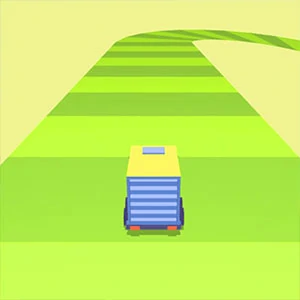
Winding Road is a single-screen driving test where you guide a moving object along a road that never stops turning. The run ends the moment you slip off an edge, so the whole game is about early corrections and returning to the center line without oversteering.
Staying centred on a road that never stops turning
Travel as far as possible along the winding route without leaving the road. The run ends when the moving object drops off an edge, so staying centered is the real objective and every metre saved matters more than a fast reaction.
Use A and D or the left and right arrow keys on a keyboard. On touch screens, press and hold the left or right side to steer, as shown by the built-in tutorial, and release once the object is back on the line you want.
Spend the first moments learning how quickly the object reacts to input on a straight section. Then approach the first bend early, aiming for the center, and return toward the middle after the turn instead of holding one direction.
Pick the line for the second bend while the first opens
The current turn is decided by the one after it, because a road that bends twice in a row needs a different line than a single corner. Look past the edge you are steering around and choose where the object should sit for the next change of direction.
Correct before the curve tightens, then ease off
A small correction made in time keeps the object on the road, while the same correction made late pushes it off the outside of the bend. Begin steering before the curve tightens and let the road carry the object through the rest of the turn. Input is a nudge, not a wheel to hold.
Drift back to the center after every bend
The middle of the road gives the most room on both sides, so every turn should end with a quiet drift back to the center line. Holding the inside line through a long section leaves no space to recover if the road switches direction, so center is the reset point for the next curves.
Steer less when the road turns
When a section keeps ending off the road, the usual cause is too much input, not too little. Let the bend come to the object and use one gentle correction instead of steering through the whole curve. Less input means more road left on either side.
Match the hold to your device before the first bend
Keyboard players correct with A and D or the arrows, while touch players press and hold the left or right side of the screen. Try both once on the opening straight to feel the response rate, then stick with one method for the whole run.
A layout test among the driving titles
Winding Road is a layout test rather than a speed chase, so the skill it asks for is calm steering instead of reactions. On the shelf it suits a visitor who wants a quiet endurance line to hold rather than a race to win.
Why runs end at the edge
How do I stay on a road that keeps turning?
Correct before each curve tightens and return toward the center after every bend. Look at the turn after the one you are on, make one gentle correction, and release the input so the road carries the object through the rest of the curve.
Where should the object sit between two corners?
On or near the center line. The middle gives you room to recover on both sides, so whichever way the next bend turns, you can approach it with margin instead of starting from the edge.
Why does my steering make the run worse?
Most likely you are holding the input too long or starting the correction late. Each bend should get one early nudge, then a release - oversteering through the whole curve pushes the object off the outside of the next turn.
I keep drifting to the edge. How do I reset?
Let go of the input and let the object settle, or steer gently back toward the center before the next bend starts. Trying to correct with a harder hold usually pushes you further out, so a short reset to the middle restores the room you need.