Take the first bend slowly
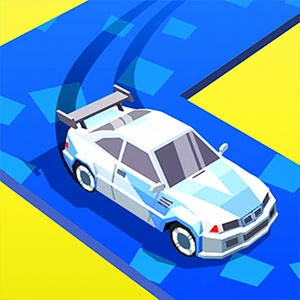
A drift game where the corner is the job: steer in, hold the slide through the tightest part, and let the car straighten toward the exit. The screen picks between a numbered Level entry and Endless, and the control hint changes how every bend feels.
The corner is the job from entry to exit
Complete the track and reach the finish while keeping the car on the road through every bend. A round may add an opponent or a score target, and clean exits count for more than raw pace.
Steer with the mouse, keyboard, or touch input the player shows on your device. Some setups use a press-and-hold timing control instead of separate direction keys, so check the on-screen hint before the first corner.
Take the first bend slower than feels natural and watch when the car starts to slide. That first clean drift tells you how much speed the current control setup can carry into a corner.
Start the slide while the car is still on the approach line
Entering a bend and waiting until the middle of the curve is the usual way to lose the rear end. Begin the drift while the car is still on the approach, so the slide carries through the tightest part instead of starting inside it.
Aim at the exit and let the apex look after itself
The car should be straightening as it leaves the corner, and that is easier when you read the exit early. Fixing your eyes on the apex steers you into the bend and leaves you wide on the other side.
Ease the steering back as the nose points at the exit
Once the nose of the car lines up with the exit, the drift has done its job and the steering should relax. Counter-steering or releasing too early sends the car wide, while holding too long spins it, so come back to straight gently.
Cut entry speed when the same corner keeps spinning you
If the same bend ends in a spin or a wide exit every time, the entry speed is too high for the line you are taking. Ease off before the corner and watch where the drift starts — a small change in entry speed usually fixes it.
Pick Level or Endless from the menu before the road loads
The opening screen shows a numbered Level entry and an Endless option, so the session shape starts with that choice. Pick the numbered side when you want a stage to clear, and the Endless side when you would rather keep the road going.
Where Drift Race 3D sits against the traffic title beside it
Next to Road Crash on the shelf, this one swaps lane placement for the press-and-hold drift switch and corner timing. It suits a visitor who wants a control skill to build over a session, not a steering read.
Why one corner keeps spinning you
How do I start a drift on a corner?
Steer toward the bend and begin the slide while the car is still on the approach, using the hold control or the motion the hint shows. Starting before the sharpest point lets the slide carry through the curve instead of snapping inside it.
What is counter-steering used for in a drift?
Counter-steering brings the nose back from the slide direction and lines the car up with the exit. Do it as the nose points out of the corner — too early sends the car wide, and too late lets the rear spin on.
Why does one corner keep spinning my car?
The entry speed is too high for the line you are taking, which shows up at the same bend every lap. Slow down before the corner and move the start of the drift earlier on the approach rather than later.
What is the difference between the Level and Endless entries?
The menu shows a numbered Level entry and an Endless option side by side. The Level side counts its stages, while the Endless side keeps the road coming without a stage number to aim at.