Retreat while the cue changes
A stealth-timing run played in short windows: attention drifts, a quiet gap opens, you move, bite and retreat before the warning cue settles. Most attempts are lost to staying one beat too long, so the rhythm matters more than the approach.
Move in short hops inside the quiet window
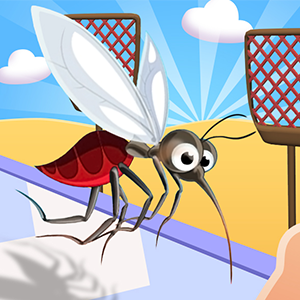
Complete the mosquito's action on the target without being noticed, then clear the danger area before the character reacts. Each attempt counts as a run, and finishing requires working with the safe windows the scene repeats.
Move the mosquito with the mouse or by dragging a finger, and tap or release to perform the action at the right moment. Follow the prompt shown in the current scene, since the required gesture can change between targets.
On the first approach, do nothing for one full attention cycle and watch when the safe window opens and closes. That single observation tells you how much time you have, which is worth more than a rushed first attempt.
Sit through one full window cycle first
The scene runs on a repeating pattern: attention drifts, a quiet window opens, then a warning cue rises. Watch that cycle once without touching the controls, and every later approach becomes predictable, because the rhythm rarely changes between attempts.
Back away while the cue is still changing
The moment the warning cue appears is the last safe second to be in motion. Finish the action and retreat while the cue is still changing, because waiting for it to settle means staying too long and handing the target time to react.
Split the distance into short, cancellable hops
Instead of one long approach, cover the distance in hops: move during a quiet window, pause, then move again in the next. Each hop is easy to cancel when the cue changes, while a single continuous approach carries you into danger before you can react.
A caught attempt is free timing data
Being caught ends the current run but also shows exactly when the window closed and how far a full commitment carries. Note where you were when the warning flipped, then shorten the next approach by that amount instead of repeating the same mistake.
Commit only while the indicator stays down
The quiet moment is the only time the scene will not punish movement, so every bite should start after the warning indicator drops and finish before it rises again. Waiting for that moment costs seconds but never costs a run, which makes it the patient choice that works.
Treat the number readouts as a separate screen read
Around the action the screen shows number readouts such as +30, -15, x3 and division by 2, plus a X2 marker, and prompts like Number, Award, Give up and Receive, with figures such as 2000 and $10. They appear alongside the action, so expect to read numbers as well as timing cues.
Questions about the window and being caught
How close can I get before the warning starts?
The warning cue is the scene's last-second signal, so treat it as the boundary rather than trying to measure distance in pixels. Approach until the cue moves, then use that point as the general reach limit for the round and keep every bite inside the quiet window.
What happens when the mosquito is noticed mid-approach?
The run ends and the attempt is over, usually with the target reacting before you can finish. The useful part is the timing note it leaves: you now know the window closed earlier than you moved, so the next attempt starts later and finishes sooner.
Why are short hops better than one long approach?
Because the safe window closes faster than a long commitment can clear. A hop can stop the instant the cue changes, while a continuous approach has already committed when the warning flips, so patience between hops protects the attempt at no real time cost.
What are all the number signs on the screen for?
The screen shows figures such as +30, -15, x3, division by 2 and X2 together with prompts like Number, Award, Give up and Receive, plus values such as 2000 and $10. They are captured straight from the game screen, so read each label as it appears and keep the attention window as your timing anchor when you move.