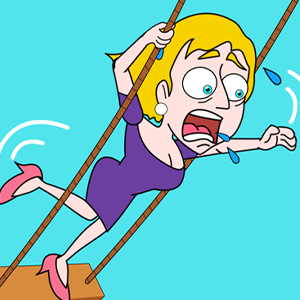
One real danger per scene
Each scene hides one real danger behind several objects that only look useful, and the choices on offer are arranged to distract from it. The level is won by naming the danger first, then treating every other prop as scenery until that danger is gone.
Name the true threat and treat the rest as scenery
Guide the girl out of the scene by picking the action that removes the danger actually threatening her right now. A level ends when she reaches the safe position shown on screen with no immediate hazard left standing behind her.
Tap or click one of the choice objects displayed in the scene. A few scenes add a short drag after the correct pick, but the decision is a selection rather than a movement, so there is no aim to correct.
Before touching anything, put the danger into one plain sentence — what is hurting or trapping her at this moment. That sentence is your filter: the correct option is the one that cancels exactly it, and everything else is decoration.
Name the danger before you look at the options
The scene is built so that the most dramatic object draws your eye away from the actual threat. Say the problem out loud in one phrase first, then scan the choices for the one that addresses that phrase. Reading the board before reading the buttons is what separates a first-try solve from a loop.
Your best result is tracked on screen
The interface records a running best figure, shown on the scene as a "best" counter that starts at zero. It belongs to your session rather than to the level, so it is a record of progress rather than a pass mark you have to reach — there is no threshold to clear before the next scene opens.
An object can look like a tool and still be a trap
Compare each prop with the problem in front of you: does it remove the danger, or does it just make the scene busier? The quieter option usually lets her move sooner, while the eye-catching one tends to create a fresh problem once the first is handled.
Order the choices by urgency, not by interest
When a scene offers several plausible actions, the right sequence is not the most satisfying one. Deal with whatever would make the situation worse first, because a late pick rarely undoes an early mistake, and the chain is short enough that the first link decides the rest.
Change one decision when you retry
After a scene fails, restart and replace a single choice rather than guessing the whole sequence again. Keep everything that looked stable and swap the first suspicious pick — because these scenes run as a short chain, correcting the earliest link usually lets the remainder fall into place.
Reading rather than reacting
Nothing in a scene rewards a fast tap; it rewards identifying the hazard correctly. That puts it closer to the puzzle titles on the shelf than to the reflex games, and it suits a visitor who would rather reason through a board than chase a timing window.
Questions about choosing the quiet option
Why does the obvious-looking choice often fail?
Because the scene is built to reward reading rather than reacting. Objects that stand out are usually there to pull attention from the real problem, so try the quiet option that removes the immediate danger and let the result tell you whether you read the scene correctly.
Can one wrong pick ruin the rest of the level?
It can stall the scene, but it does not lock you out — restarting and changing that first decision is enough. Because the levels run as a short chain, fixing the earliest wrong link normally resolves everything after it.
Does the best figure on screen need to reach a target?
No. It is a running record of your best result during the session, displayed as a "best" counter that begins at zero. It tracks how you are doing rather than gatekeeping the next scene.
Do I ever need to drag instead of tap?
Only in a few scenes, and only after the correct choice has already been made. The decision itself is always a selection, so if you find yourself dragging to solve a scene, the pick underneath it was probably wrong.