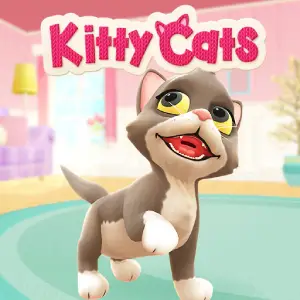
Read the need marker first
Kitty Cats is a request-by-request routine: feed, clean, play, and dress the active cat, one need at a time. The session moves forward only when each visible request is answered, so the practical note is to read the marker before you pick up anything.
The scene advances one marked need at a time
Complete each cat's current request before moving to the next one, working through feeding, cleaning, play, and outfit changes as the scene presents them. A stage moves forward when every visible need has been answered and the indicator clears.
Click or tap the item the cat needs and apply it to the highlighted spot on the character. When the game asks for a dragged motion, the on-screen prompt shows the path before you start, so follow the cue exactly and wait for the response before the next input.
Start with whichever cat is marked as active and read the symbol or label next to it before touching anything. Choose the matching care item and aim at the exact highlighted area rather than the general direction, then let the reaction finish.
Pick your cat before you pick a tool
The opening screen carries the Pick your cat! prompt, and that choice sets who you serve for the whole scene. Select the character first, then read its need — reaching for a food or toy before the selection lands just leaves a tap on the wrong kitten.
Read the need marker before touching any item
Each cat wears a small indicator that tells you which request is live, and that is the only action that advances the scene. Completing an unmarked activity may be ignored, so read the symbol, pick the matching item, and apply it to the highlighted area first.
Wait for the response before you move to the next cat
The scene unlocks its next need only after the current one is fully done, so rushing to a second cat can stall the round. Watch for the reaction animation or the cleared indicator before you switch, and if nothing new appears, look at the same cat once more.
Apply items to the exact highlighted spot
A care item placed near the cat's body may not register, and the game is specific about where a brush or a toy should land. Wait until the highlight shows the exact area, then confirm your tap or drag right there — near-misses are the most common silent miss.
Open the wardrobe section when the request turns to style
When the request moves from care to customization, stop applying food or toys and open the wardrobe section shown on screen. Compare the available options against the outfit the prompt describes, and confirm the piece that matches the highlighted look before anything else.
End a session after a cleared request
Each answered request banks the round's progress, which makes a cleared indicator a natural place to stop. Put the session down after the reaction animation has finished and the next need is visible — leaving mid-request is fine, but a cleared marker is the cleaner exit.
Questions about the marker and placement
How do I know which cat needs attention first?
The active cat is the one wearing the marker, and its symbol or label names the live request. Start there and ignore the unmarked characters until the indicator moves — the scene only advances one marked need at a time.
Why does my action sometimes not advance the round?
The most common cause is placement — an item applied near the cat instead of on the highlighted area does not register, and the round waits. Recheck the highlight, re-apply to that exact spot, and let the reaction complete before the next move.
Why does the game ask me to pick a cat first?
The Pick your cat! screen decides which character your taps serve for the scene, so the choice matters before any care item does. Select the character, read its need, and only then reach for a tool — it keeps every input aimed at the right kitten.
Do outfit changes work like care steps?
In structure, yes — a style request is cleared the same way, by applying the matching piece to the highlighted spot on the character. The difference is the source: care actions use food, toys and tools, while style requests are answered from the wardrobe section the prompt opens.